• Skip to main content
  • Skip to secondary menu
  • Skip to primary sidebar
  • Skip to footer
  • PSD to Genesis
  • Personalized Genesis Child Theme
  • Custom Website
  • Rainmaker
  • Genesis Customizations

Christoph Herr

Solutions For Your Online Business

  • Home
  • Articles
  • Recommendations
  • About
  • Praise
  • Contact
  • Schedule a Call

How to reposition the Primary Navigation in Magazine Pro

Last updated on February 2, 2017 by Christoph Herr 2 Comments

The Magazine Pro theme is a very nice and versatile theme from Studiopress.magazine pro
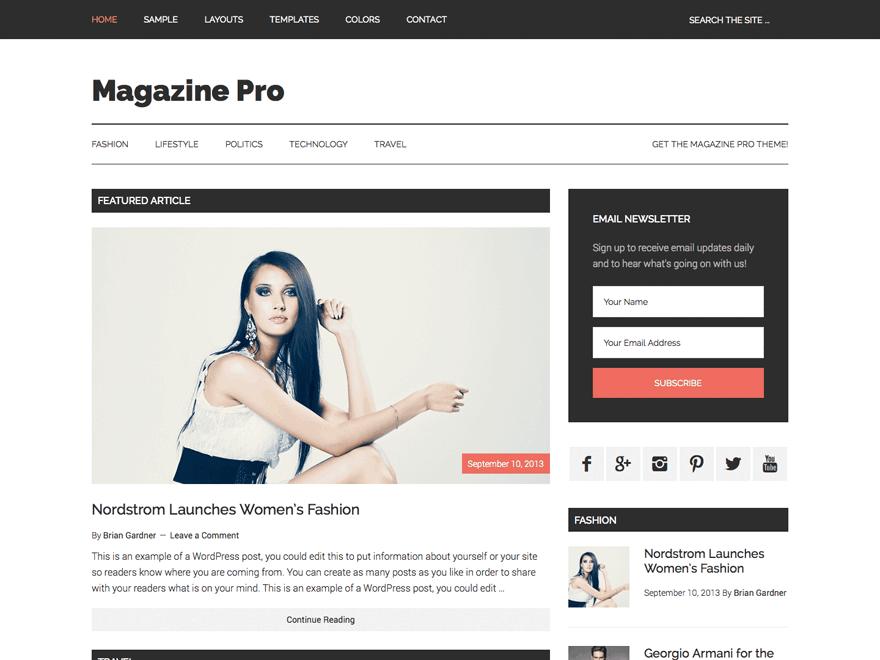
Studiopress is providing a wide array of very useful code snippets to change all sorts of things in their themes.

In the functions.php of the Magazine Pro theme the primary navigation is being repositioned with the following code:

//* Reposition the primary navigation menu 
remove_action( 'genesis_after_header', 'genesis_do_nav' );
add_action( 'genesis_before_header', 'genesis_do_nav' );

In theory, it should be very easy to just swap out the hook in the add_action part to reposition the primary navigation in Magazine Pro anywhere I’d like to. (You can reference the Visual Hook Guide for possible locations.)

In practise, you will not see any change in the position of the primary navigation, no matter what hook you use.

As soon as you use an add_action to place the primary navigation it will just be right on top of the page.

So what is going on here????

We have to take a look at the style.css of Magazine Pro.

Around line 1402 of the style sheet we find the settings for the primary navigation:

.nav-primary {
    background-color: #222;
    color: #fff;
    left: 0;
    position: fixed;
    top: 0;
    width: 100%;
    z-index: 999;
}

There we have the culprit: position: fixed;

This makes sure the primary navigation stays on top of the screen all the time.

Either remove this declaration or change it to position: relative; (depends on the styling you want to achieve…)

And like magic, the primary navigation of the Magazine Pro theme can be positioned in any hook you want.

Let´s add it to the footer area.

//* Reposition the primary navigation menu
remove_action( 'genesis_after_header', 'genesis_do_nav' );
add_action( 'genesis_before_footer', 'genesis_do_nav' );

And here is what it looks like:

Repositioned_Primary_Navigation_Magazine_Pro

Share this:

Share on X (Twitter)Share on FacebookShare on PinterestShare on LinkedInShare on Email

Filed Under: Code Snippets Tagged With: Magazine Pro

Reader Interactions

Comments

  1. di sekitar says

    February 1, 2017 at 3:10 am

    How can I add second menu above primary menu?

    I tried your code, but the primary menu still on top, even I change it location.

    Reply
    • Christoph Herr says

      February 2, 2017 at 4:29 pm

      Hi,
      you are using the plugin Autoptimize.
      If just the CSS changes are not showing, make sure to rebuild the minified stylesheet.

      Reply

Leave a Reply to Christoph Herr Cancel reply

Your email address will not be published. Required fields are marked *

Primary Sidebar

Getresponse Email Marketing WordPress Speed Test

Subscribe to my newsletter

Please enter your information here:

I hate spam. Your information is save.

Latest Posts

WordPress Black Friday & Cyber Monday Deals

Once again it´s time for WordPress Black Friday & Cyber Monday Deals. Like last year, I have … [Read More...] about WordPress Black Friday & Cyber Monday Deals

Cafe Pro - sticky menu and image logo - end result

Add a logo to the sticky menu of Cafe Pro

A member of the Studiopress forum asked how to show a logo in the after header menu (primary … [Read More...] about Add a logo to the sticky menu of Cafe Pro

Smart Passive Income Pro screenshot

Remove the featured image from the homepage of Smart Passive Income Pro

Studiopress just released a new child theme for the Genesis Framework, called Smart Passive Income … [Read More...] about Remove the featured image from the homepage of Smart Passive Income Pro

Footer

StudioPress Theme of the Month

Copyright © 2025 · Magazine Pro Theme On Genesis Framework · WordPress · Log in